Picture this: A beautifully framed photo of your family, vibrant and ever-changing, perched perfectly on your kitchen island, a floating shelf, or even outdoors on your patio, without a single unsightly cord in sight. That’s the magic of a battery-operated digital frame, a truly transformative piece of technology that offers unprecedented freedom in how we display our most cherished memories. For years, digital frames were tethered to an outlet, limiting their placement. But with the advent of reliable battery technology, these innovative devices have truly cut the cord, opening up a world of possibilities for decorating your home and sharing your life’s moments.
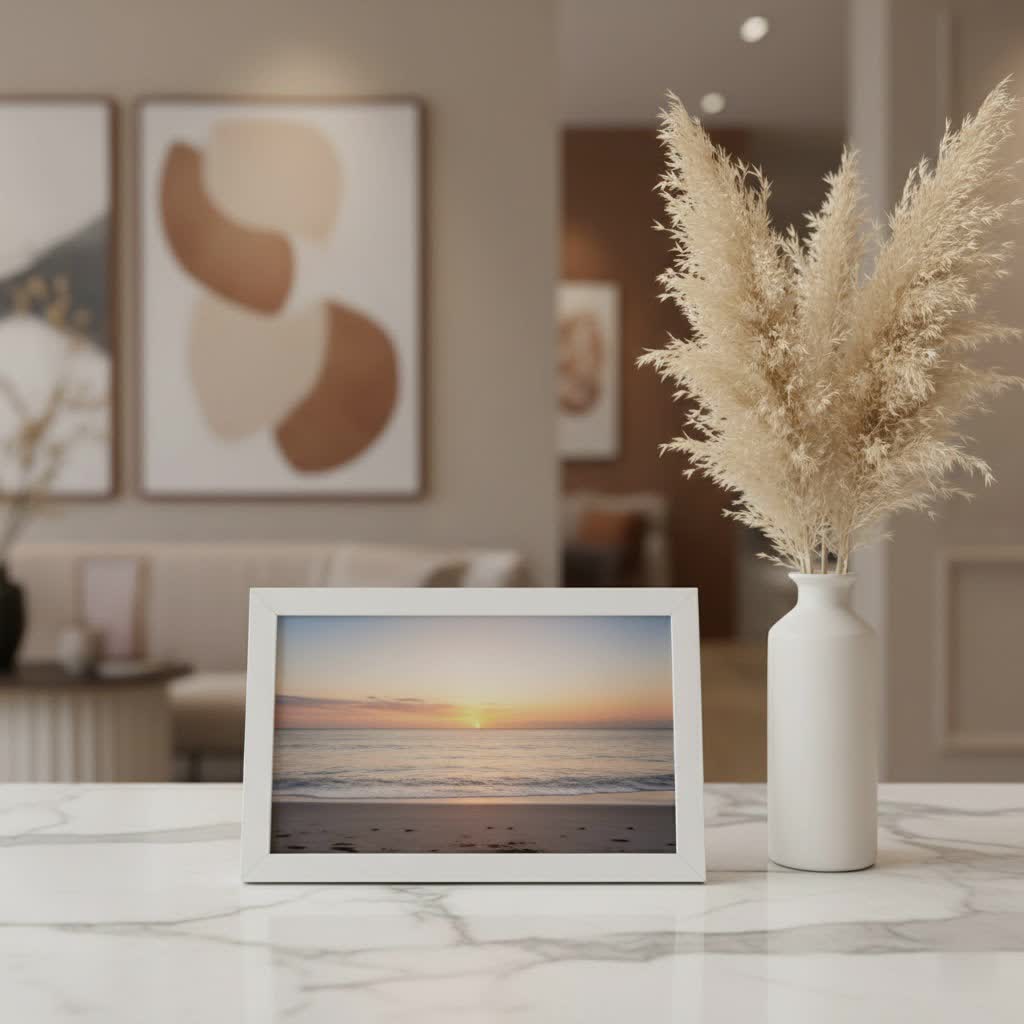
At WWMPA, we’ve seen digital frames evolve dramatically over the past 15 years. What started as a niche product has become a staple for many, and the battery-powered models are leading the charge in convenience and versatility. Forget wrestling with cables or being restricted by wall sockets; a battery-operated digital frame brings your photos to life, wherever life takes you.
What Makes a Digital Frame “Battery-Operated”?
At its core, a battery-operated digital frame functions much like its traditional plug-in counterparts, cycling through a collection of digital photos and sometimes videos. The crucial difference, of course, is its power source. Instead of being permanently connected to an electrical outlet, these frames house internal batteries, offering true portability and cordless convenience. This means you can place them virtually anywhere: on a coffee table, a bedside stand, an office desk, or even as a temporary centerpiece for a party.
There are generally two main types of battery systems you’ll encounter:
- Rechargeable Lithium-Ion Batteries: These are the most common in modern, higher-end battery-operated digital frames. They function much like your smartphone or laptop battery, providing hours, or even days, of continuous display on a single charge. When the power runs low, you simply plug it in to recharge. Many models now feature convenient USB-C charging.
- Replaceable Standard Batteries (AA/AAA): Less common for continuous use, these frames utilize disposable batteries. They can be advantageous for very occasional use or in situations where recharging isn’t feasible, but they typically offer shorter operational times and can be less cost-effective in the long run.
A unique and emerging option is e-paper digital frames. These frames use a technology similar to e-readers, offering incredibly long battery life—sometimes up to a year on a single charge—and a display that looks remarkably like a printed photograph with no backlight glare. While often more expensive, they represent the pinnacle of cordless display.
Key Features to Look for in a Battery-Operated Digital Frame
When you’re ready to dive into the world of cordless photo display, understanding the features that truly matter will help you make an informed choice.
Battery Life and Power Management
|
Our Picks for the Best Digital Frame in 2026
As an Amazon Associate I earn from qualifying purchases.
|
||
| Num | Product | Action |
|---|---|---|
| 1 | BIGASUO Digital Picture Frame, 10.1\" Frameo Digital Frame WiFi with 32GB Memory, 1280x800 IPS Touch Screen, Send Photos/Videos from Your Phone Anywhere, Photo Gifts for Parents and Grandparents |

|
| 2 | Digital Picture Frame, 15.6 Inch Large Frameo Digital Photo Frame WiFi, 32GB, 1920 * 1080 IPS HD Touch Screen, Tabletop&Wall-Mounted, Share Picture Video, Birthday, Wedding, for Mom |
|
| 3 | Frameo 10.1 Inch WiFi Digital Picture Frame with 32GB Storage,1280 * 800P IPS HD Touch Screen,Send Photos/Videos from Your Phone Anywhere, Photo Gifts for Parents and Grandparents |
|
| 4 | Dragon Touch 10.1\'\' WIFI Digital Picture Frame - 1280*800 HD IPS Touch Screen Digital Photo Frame Display, Auto-Rotate, Share Photos/Videos Instantly via Free App Best Gifts for Birthday, Wedding, Mom |
|
| 5 | Digital Picture Frame - 10.1\" HD Display AI Magic Frame, Touch Screen Digital Photo Frame with Easy Setup, Unlimited Cloud Storage, Gifts for Parents and Grandparents |
|
| 6 | Dragon Touch 10.1\'\' WIFI Digital Picture Frame - 1280*800 HD IPS Touch Screen Digital Photo Frame Display, Auto-Rotate, Share Photos/Videos Instantly via Free App Best Gifts for Birthday, Wedding, Mom |
|
| 7 | 32GB FRAMEO 10.1 Inch Smart WiFi Digital Photo Frame 1280x800 IPS LCD Touch Screen, Auto-Rotate Portrait and Landscape, Built in 32GB Memory, Share Moments Instantly via Frameo App from Anywhere |
|
| 8 | Skylight Frame – WiFi Digital Picture Frame Customer Support, Touch Screen Digital Photo Frame with Easy Setup, Photo Gifts for Parents and Grandparents - 10 Inch Black |
|
| 9 | Digital Picture Frame, 10.1\'\' Frameo Digital Frame Wifi, 32GB Memory, 1280*800 HD Touch Screen Digital Photo Frame, Wall Mountable, Auto-Rotate, Share Instantly, Wedding, Birthday Gifts for Women, Mom |
|
| 10 | Cordless Digital Photo Frame, 13.3 Inch ePaper Display, Tap-to-Print Technology, Wall Art Frame for Any Place and Everyone |
|
This is arguably the most critical feature for any battery-operated digital frame. Look beyond just the advertised “hours of use.” Consider how it’s measured: is it continuous playback, or does it include power-saving modes? Many frames now incorporate motion sensors that wake the display only when someone is nearby, or automatic sleep timers that turn off the screen during inactive periods, significantly extending battery life. A good rechargeable frame should offer at least several hours of active display, with some high-end models providing days or even weeks of intermittent use. For e-paper frames, the battery life can be astonishing, often measured in months or even a year.
Display Quality
Portability shouldn’t mean compromising on how your photos look. Aim for a frame with a high-resolution display, typically 1280×800 pixels or higher, for crisp, clear images. IPS (In-Plane Switching) panels offer excellent viewing angles, ensuring your photos look great from almost anywhere in the room. LED backlighting is standard, providing bright, vivid colors while being energy-efficient. And if glare is a concern, especially in brightly lit rooms, look for frames with matte finishes or consider the unique, glare-free quality of e-paper displays.
Connectivity and Photo Transfer
Modern battery-operated digital frames offer a variety of ways to get your photos onto the device:
- Wi-Fi Connectivity: This is increasingly common and highly desirable. Wi-Fi-enabled frames often pair with a companion smartphone app or allow you to send photos via email directly to the frame, making it incredibly easy for family and friends to share memories from anywhere in the world. Many also offer cloud storage, providing unlimited space for your entire photo library.
- USB/SD Card Slots: These are traditional methods for transferring photos directly from a camera or computer. They’re reliable, especially if you prefer not to use cloud services or Wi-Fi.
- Bluetooth: While less common for large photo transfers, Bluetooth can sometimes be used for initial setup or connecting to accessories.
Internal Storage
How many photos do you want to display? Most frames come with built-in internal storage, ranging from 8GB to 64GB, which is often enough for thousands of high-resolution images. If you have an extensive collection or anticipate receiving many photos from others, ensure the frame offers sufficient internal memory or, even better, unlimited cloud storage via Wi-Fi.
Design and Aesthetics
A digital frame is also a piece of home décor. Consider the frame’s material, color, and overall design. Many come with clean, minimalist lines in classic black, white, or wood-effect finishes. Some offer interchangeable mattes to match your interior. Look for features like auto-rotation, which automatically adjusts the photo orientation when you switch the frame from landscape to portrait. If you plan to wall-mount, check if the frame includes mounting brackets and how convenient it is to remove for recharging.
Ease of Use
You want to enjoy your photos, not struggle with tech. Look for frames that offer intuitive setup processes, often guided by a user-friendly smartphone app. Touchscreen interfaces can make navigation and photo management a breeze, allowing you to swipe through images or adjust settings with ease.
Choosing the Right Battery-Operated Digital Frame for Your Needs
Selecting the perfect battery-operated digital frame is a personal journey, as it largely depends on your specific needs and how you envision using it.
- For the Ultimate Portable Display: If you plan to move your frame frequently between rooms, take it on trips, or use it for temporary displays at events, prioritize frames with excellent battery life and robust, lightweight designs. Models with compact sizes are ideal for this purpose.
- For a Cord-Free Aesthetic: If your primary goal is to eliminate unsightly wires and enjoy a clean look, focus on frames with long-lasting rechargeable batteries and discreet charging solutions. E-paper frames, despite their higher price point, excel here, offering months of display without needing a plug.
- For Gifting to Loved Ones: Ease of use is paramount when buying a gift. Look for frames with simple app-guided setup and intuitive interfaces. Many brands allow you to pre-load photos or send them remotely, making it a perfect way for family members to share new memories instantly. “When choosing a digital frame as a gift, always consider the recipient’s tech comfort level,” advises Clara Peterson, lead product analyst at WWMPA. “A simple, app-controlled frame that allows easy photo sharing from anywhere is often the most appreciated.”
- Budget vs. Features: As with any tech purchase, balance your budget with the features you desire. Higher-end frames often boast superior display quality, longer battery life, and more advanced connectivity options like unlimited cloud storage.
Setting Up and Optimizing Your Cordless Digital Frame
Getting your battery-operated digital frame up and running is typically straightforward, but a few tips can help you get the most out of it.
- Initial Charge: Before anything else, give your new frame a full charge. This ensures the battery is calibrated and ready for optimal performance.
- Connect to Wi-Fi (if applicable): If your frame has Wi-Fi, this is usually the first step after powering on. Follow the on-screen prompts or the companion app to connect to your home network. This unlocks cloud features and remote photo sharing.
- Upload Your Photos:
- Via App/Cloud: The easiest method for most modern frames. Download the dedicated app, connect it to your frame, and start uploading photos directly from your phone or cloud albums. Invite family and friends to join!
- Via USB/SD Card: Insert your memory card or USB drive into the designated slot. The frame’s interface will guide you through importing photos to its internal storage.
- Customize Settings:
- Slideshows: Adjust the transition speed, order (sequential, random), and types of transitions.
- Sleep Modes: Set a schedule for when the frame should turn off its screen (e.g., overnight) or enable motion detection if available. This is crucial for maximizing battery life.
- Brightness: Adjust the display brightness to suit your environment. A lower brightness setting will conserve battery power.
- Strategic Placement: While the freedom is liberating, consider placement for charging. If wall-mounted, ensure it’s easy to access for occasional recharging. For tabletop frames, find a spot near an outlet where you can conveniently plug it in every few days or weeks, depending on usage.
Common Troubleshooting Tips for Battery-Powered Frames
Even the most reliable battery-operated digital frame can encounter minor hiccups. Here are some quick fixes for common issues:
- Battery Draining Quickly:
- Solution: Check your settings. Are sleep timers enabled? Is the screen brightness too high? Disable unnecessary features like continuous Wi-Fi syncing if not actively needed. Ensure you’re using the charger that came with the frame.
- Connectivity Issues (Wi-Fi):
- Solution: Restart your frame and your Wi-Fi router. Ensure the frame is within range of your Wi-Fi signal. Double-check your Wi-Fi password. If you’ve recently changed your Wi-Fi network name or password, you’ll need to update it on the frame.
- Photos Not Displaying Correctly:
- Solution: Check the photo resolution and file format. Most frames support JPEG, PNG, and sometimes MP4 for video. If photos are too large, they might not load, or if they’re in an unsupported format, they won’t appear. Try re-uploading the photo.
- Frame Not Turning On:
- Solution: Plug the frame into its charger and leave it for an hour. The battery might be completely depleted. Try a different power outlet or charging cable. If it’s still unresponsive, perform a hard reset (refer to your frame’s manual for specific instructions).
Apps and Software: Enhancing Your Digital Frame Experience
The true power of modern battery-operated digital frames often lies in their integrated apps and software. These companion tools transform the frame from a simple display into a dynamic hub for sharing and managing memories.
Many popular brands, like Aura and Frameo, offer intuitive smartphone apps that allow you to:
- Remotely Upload Photos and Videos: Share moments with your frame instantly, whether you’re across the room or across the globe.
- Invite Family and Friends: Create a shared network where multiple people can contribute to the frame’s photo stream. This is a fantastic feature for keeping distant loved ones connected.
- Organize Content: Create albums, manage playlists, and customize slideshow settings directly from your phone.
- Adjust Frame Settings: Control brightness, sleep schedules, and even power modes without touching the frame itself.
- Cloud Integration: Seamlessly sync photos from popular cloud services or your phone’s photo library, ensuring your frame is always updated with fresh content.
These robust software ecosystems are what make a battery-operated digital frame more than just a screen; they make it a living photo album that effortlessly keeps your memories front and center.
The Future is Cord-Free: Expert Insights
The evolution of the battery-operated digital frame has been fascinating to witness. What was once a niche product with limited battery life has blossomed into a sophisticated device, thanks to advancements in power efficiency and display technology. We’re seeing more emphasis on smart features, seamless connectivity, and eco-friendly solutions. The integration of e-paper technology, offering astounding battery longevity and a print-like aesthetic, suggests a future where these frames blend even more seamlessly into our living spaces, becoming indistinguishable from traditional art while offering all the dynamic benefits of digital display. The freedom from cords isn’t just a convenience; it’s a revolution in how we interact with and display our precious memories.
Frequently Asked Questions (FAQ)
How long do battery-operated digital frames typically last on a single charge?
The battery life of a battery-operated digital frame varies widely. Basic models might offer a few hours, while advanced rechargeable frames can last for several days or even weeks with optimized power settings like sleep timers and motion sensors. E-paper frames boast the longest battery life, often running for months or up to a year on a single charge.
Can I wall-mount a battery-operated digital frame?
Yes, many battery-operated digital frames are designed to be wall-mounted. However, if it’s a rechargeable model, consider how you’ll access it for regular charging. Some come with specialized mounting brackets and cable management solutions to minimize visual clutter when charging.
Are Wi-Fi features common on battery-powered frames?
Modern rechargeable battery-operated digital frames increasingly include Wi-Fi connectivity. This feature allows for cloud integration, app-based photo uploads, and remote photo sharing, greatly enhancing their functionality and ease of use.
What’s the difference between a rechargeable and a standard battery frame?
A rechargeable frame uses a built-in battery (typically lithium-ion) that you plug in to recharge, offering convenience for continuous use. Standard battery frames use disposable batteries (like AA or AAA) and are generally suitable for very occasional use or in situations where an outlet isn’t available for recharging.
Can I send photos to the frame remotely?
Yes, if your battery-operated digital frame is Wi-Fi enabled, you can typically send photos remotely using its dedicated smartphone app or by emailing photos directly to a unique frame address. This makes it easy for family and friends to share memories, no matter where they are.
Are battery-operated frames good for gifts?
Absolutely! Battery-operated digital frames make excellent gifts, especially for grandparents, parents, or anyone who cherishes photos but values convenience. Their portability and ease of use, coupled with the ability for others to send photos remotely, make them a thoughtful and constantly evolving present.
Embrace the Freedom of Cord-Free Memories
The battery-operated digital frame is more than just a gadget; it’s a statement about how we want to live with our memories—unrestricted, vibrant, and always present. From adding a dynamic touch to your décor to keeping loved ones connected across distances, these cordless wonders offer unparalleled flexibility. We’ve watched this technology mature, and we wholeheartedly recommend exploring the freedom they offer. So go ahead, unplug, place your memories anywhere, and let your cherished photos bring joy to every corner of your life. Discover the perfect battery-operated digital frame for your world today, and share your experiences with the WWMPA community!
