In our increasingly digital world, photos often get lost in the endless scroll of our phone galleries. But what if you could bring those cherished memories to life, displaying them dynamically and beautifully in your home? That’s where the best rated digital photo frames come in, transforming your favorite moments into a constantly evolving exhibition. At WWMPA.com, with over 15 years in the trenches of digital imaging, we understand the nuances that make a great frame truly exceptional. We’re here to guide you through selecting, setting up, and maintaining the perfect digital frame to enrich your living space and keep your memories vibrant.
Why a Digital Photo Frame is a Must-Have for Your Memories
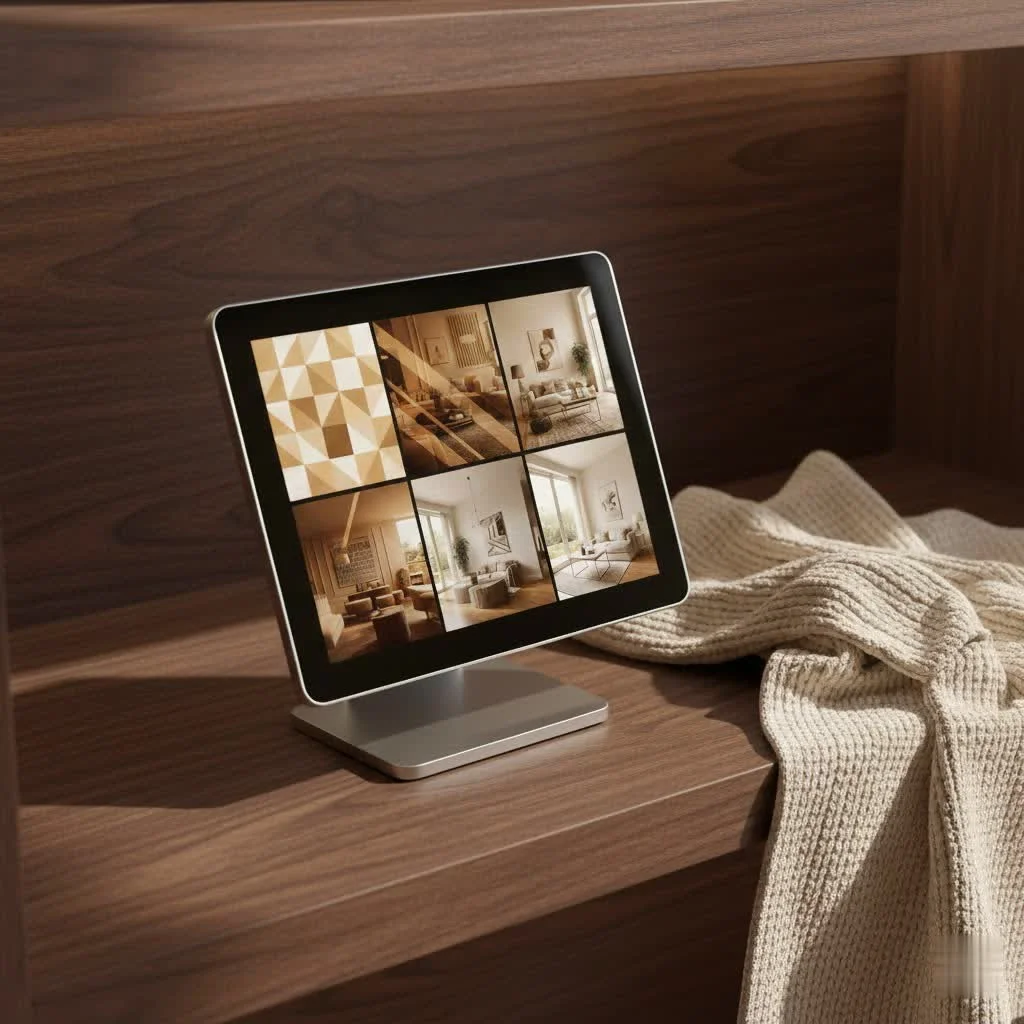
Think about it: how often do you truly look at your digital photos once they’re taken? A digital photo frame transcends the limitations of static prints or buried smartphone albums. It offers a dynamic canvas, perpetually cycling through your most beloved pictures and even videos, creating a living tapestry of your life’s journey. It’s a conversation starter, a source of daily joy, and an incredible way to share memories with family and friends, especially those who might not be tech-savvy. What makes it even better is its potential as a thoughtful gift, pre-loaded with memories that bridge distances and warm hearts.
Decoding the Best: Key Features to Look for in a Digital Photo Frame
When searching for the best rated digital photo frame, it’s easy to get overwhelmed by the sheer number of options. But fear not! We’ve distilled the crucial elements that truly matter.
Display Quality: The Heart of Your Frame
The screen is everything. A stunning display can make your photos pop, while a poor one can diminish even the most beautiful images.
- Resolution: Just like your TV or smartphone, higher resolution means sharper, more detailed images. Look for frames offering HD (1280×800 pixels) at a minimum, with some premium models boasting 2K (2000×1200) or even Full HD (1920×1080) for larger screens. Pixel density is also key; a smaller frame with high resolution will look incredibly crisp.
- Screen Size & Aspect Ratio: Digital frames come in various sizes, typically from 8 inches up to 27 inches, or even larger with smart TVs. Consider where you’ll place the frame. A 10-15 inch screen is often the sweet spot for sideboards or desks, offering good visibility without overwhelming the space. Aspect ratio matters too: 4:3 is ideal for standard photos, while 16:9 is better for widescreen shots and videos.
- Screen Finish: A matte finish often helps reduce glare, making photos look more like traditional prints. This is a feature highly praised in top-rated frames like the Aura Aspen and Mason Luxe.
- Brightness & Color Accuracy: You want colors that are true-to-life and vibrant, making your photos sing. Good frames offer automatic brightness adjustment to suit ambient light, ensuring your pictures look great day or night.
Connectivity & Storage: Staying Connected
|
Our Picks for the Best Digital Frame in 2026
As an Amazon Associate I earn from qualifying purchases.
|
||
| Num | Product | Action |
|---|---|---|
| 1 | Digital Picture Frame - 10.1\" HD Display AI Magic Frame, Touch Screen Digital Photo Frame with Easy Setup, Unlimited Cloud Storage, Gifts for Parents and Grandparents |

|
| 2 | 32GB FRAMEO 10.1 Inch Smart WiFi Digital Photo Frame 1280x800 IPS LCD Touch Screen, Auto-Rotate Portrait and Landscape, Built in 32GB Memory, Share Moments Instantly via Frameo App from Anywhere |
|
| 3 | Dragon Touch 10.1\'\' WIFI Digital Picture Frame - 1280*800 HD IPS Touch Screen Digital Photo Frame Display, Auto-Rotate, Share Photos/Videos Instantly via Free App Best Gifts for Birthday, Wedding, Mom |
|
| 4 | Cordless Digital Photo Frame, 13.3 Inch ePaper Display, Tap-to-Print Technology, Wall Art Frame for Any Place and Everyone |
|
| 5 | Digital Picture Frame, 10.1\'\' Frameo Digital Frame Wifi, 32GB Memory, 1280*800 HD Touch Screen Digital Photo Frame, Wall Mountable, Auto-Rotate, Share Instantly, Wedding, Birthday Gifts for Women, Mom |
|
| 6 | Frameo 10.1 Inch WiFi Digital Picture Frame with 32GB Storage,1280 * 800P IPS HD Touch Screen,Send Photos/Videos from Your Phone Anywhere, Photo Gifts for Parents and Grandparents |
|
| 7 | Skylight Frame – WiFi Digital Picture Frame Customer Support, Touch Screen Digital Photo Frame with Easy Setup, Photo Gifts for Parents and Grandparents - 10 Inch Black |
|
| 8 | Digital Picture Frame, 15.6 Inch Large Frameo Digital Photo Frame WiFi, 32GB, 1920 * 1080 IPS HD Touch Screen, Tabletop&Wall-Mounted, Share Picture Video, Birthday, Wedding, for Mom |
|
| 9 | Dragon Touch 10.1\'\' WIFI Digital Picture Frame - 1280*800 HD IPS Touch Screen Digital Photo Frame Display, Auto-Rotate, Share Photos/Videos Instantly via Free App Best Gifts for Birthday, Wedding, Mom |
|
| 10 | BIGASUO Digital Picture Frame, 10.1\" Frameo Digital Frame WiFi with 32GB Memory, 1280x800 IPS Touch Screen, Send Photos/Videos from Your Phone Anywhere, Photo Gifts for Parents and Grandparents |
|
How your frame gets its photos is vital to its usability.
- Wi-Fi: The majority of best rated digital photo frames today are Wi-Fi enabled. This allows for seamless cloud integration, remote photo uploads from anywhere in the world via a mobile app, and often unlimited cloud storage, a huge plus for brands like Aura.
- Internal Storage: While Wi-Fi is fantastic, local internal storage (e.g., 8GB, 16GB, 32GB) is crucial if you prefer to operate offline or ensure your photos are always available even without an internet connection, as seen in the Skylight Frame.
- SD Card/USB Support: Many frames still offer slots for SD cards or USB drives, providing flexibility for transferring photos from older cameras or if you simply prefer physical media.
Smart Features & User Experience
A truly great digital frame is more than just a screen; it’s a smart display for your memories.
- Mobile App Control: A well-designed, intuitive mobile app is a game-changer. It allows you to easily upload photos, create albums, manage settings, and even invite family and friends to contribute to the frame from their own devices.
- Motion Sensors: This intelligent feature helps save energy by turning the display off when no one is around and waking it up when motion is detected.
- Touchscreen vs. Remote: Some frames offer touch-sensitive screens for direct interaction, while others rely on physical buttons or a remote control. Your preference here will depend on how you plan to interact with the device.
- Video Playback & More: Beyond photos, some frames support short video clips, and smart displays like the Echo Show 15 can even display widgets, play music, or integrate with your smart home.
Design & Placement: Blending with Your Home
A digital photo frame should complement your decor, not detract from it.
- Aesthetics: From minimalist designs to wood-effect finishes, there’s a frame to suit every style. Brands like Aura are known for their chic, modern designs.
- Orientation: Look for frames that can display photos in both portrait and landscape orientations, ideally with auto-rotate functionality.
- Mounting Options: Decide if you want a tabletop stand or a frame that can be easily wall-mounted to integrate seamlessly into your space.
Top Contenders: Best Rated Digital Photo Frames of 2025
Based on our extensive experience and expert testing, here are some of the best rated digital photo frame options available in 2025, each excelling in different areas:
- Aura Mason Luxe: Often hailed as the best overall, the Aura Mason Luxe boasts exceptional photo sharpness, true-to-life colors, and an intuitive app with social sharing features. It’s a premium choice that excels at making your photos look their best, though it relies on a constant Wi-Fi connection.
- Aura Walden/Aspen: For those seeking a larger, premium display, the Aura Walden (15-inch) and Aspen (12-inch) offer stunning visuals and unlimited free cloud storage. The Walden is wall-mountable and can switch between orientations, making it a versatile option for displaying large art or cherished photos.
- Aeezo Portrait 01: If you’re looking for excellent value without breaking the bank, the Aeezo Portrait 01 is a standout. It offers good picture quality, multiple options for photo transfers (including SD card and USB), and internal storage, making it a solid budget-friendly choice, especially if you want offline functionality.
- Skylight Frame: This frame is a great pick if you need reliable offline operation, featuring 8GB of onboard storage and touch-screen controls, allowing you to display photos even without Wi-Fi.
- Netgear Meural Canvas II / Vieunite Textura: For art enthusiasts, these large-format frames (up to 27 inches) transform your wall into a gallery. They offer vibrant displays and access to extensive art libraries, making them ideal for showcasing high-quality artwork alongside your personal photos.
- Amazon Echo Show 15 (2024): While primarily a smart display, the Echo Show 15 doubles as a large, wall-mountable digital photo frame. It integrates seamlessly with Amazon Photos (free unlimited storage for Prime members), offers Alexa voice control, and can display a wide array of content, making it a versatile smart home hub.
Setting Up Your Digital Photo Frame for Success
Getting your new digital frame up and running should be a breeze. As someone who’s set up countless frames over the years, I can tell you the process is usually straightforward.
- Unboxing & Initial Power On: Carefully unbox your frame and connect it to power. Most frames will guide you through the initial setup directly on the screen.
- Connecting to Wi-Fi: If your frame is Wi-Fi enabled, you’ll be prompted to connect to your home network. Ensure a strong signal for seamless photo uploads and updates.
- Downloading the App & Account Setup: For most smart frames, downloading the dedicated mobile app (e.g., Aura app, Frameo app) is the next step. Create an account, and link it to your frame. This is where the magic happens for remote management.
- Uploading Your First Photos: Use the app, an SD card, or a USB drive to upload your favorite pictures. Start with a small batch to ensure everything is working correctly.
- Customizing Settings: Dive into the settings. Adjust slideshow intervals, choose transition effects, set sleep timers to conserve energy, and fine-tune brightness and color if the frame offers manual controls.
Troubleshooting Common Digital Frame Issues
Even the best rated digital photo frame can encounter a hiccup or two. Here’s a quick guide to some common issues and how to resolve them:
- “My photos aren’t showing up!”: First, check the photo format; most frames support JPEG, but some may have limitations. Ensure the photos are correctly uploaded to the internal storage or cloud service, or that your SD card/USB drive is properly inserted and recognized. For Wi-Fi frames, confirm your internet connection is stable.
- “The screen is too dim/bright.”: Look for brightness settings within the frame’s menu or its accompanying app. Many modern frames have ambient light sensors that automatically adjust brightness, but you might prefer manual control if available.
- “Connectivity problems.”: If your Wi-Fi frame isn’t connecting, try restarting your router and the frame. Ensure the frame is within range of your Wi-Fi signal. Sometimes, simply closing and reopening the mobile app can resolve minor glitches.
- “Frame frozen or unresponsive.”: The classic tech fix: try turning it off and on again. Unplug the power adapter for a minute, then plug it back in. If the issue persists, a factory reset (usually found in the settings menu) might be necessary, though this will erase all stored data and settings.
Maximizing Your Digital Frame Experience with Smart Content Management
A digital frame offers endless possibilities for showcasing your memories. The key to truly making the most of it lies in smart content management.
- Curating Photo Albums: Don’t just dump all your photos onto the frame. Create themed albums for holidays, family events, specific years, or even seasonal displays. This keeps the content fresh and relevant.
- Inviting Family & Friends to Share: Many frames allow you to invite others to upload photos directly to your frame via the app. This is fantastic for staying connected and letting loved ones contribute to your shared visual story.
- Leveraging Cloud Integration for Automatic Updates: If your frame has cloud integration, take advantage of it! Link your preferred photo service (e.g., Google Photos, Amazon Photos for Prime members) for automatic syncing of new albums, so your frame always stays updated without manual intervention.
- Utilizing Smart Display Features Beyond Photos: If you’ve chosen a smart display like an Echo Show, remember its full potential. Use it for video calls, checking the weather, playing music, or controlling smart home devices when it’s not showcasing photos.
Expert Insight: “A digital frame isn’t just a display; it’s a living gallery that evolves with your memories. Choosing one that aligns with your lifestyle means considering not just the display, but how it connects you to your loved ones through shared moments.” – Dr. Evelyn Reed, Lead Digital Imaging Specialist at WWMPA.com
Frequently Asked Questions
Q: What is the ideal resolution for a digital photo frame?
A: For optimal clarity, look for frames with at least HD resolution (1280×800 pixels). Many best rated digital photo frame options offer higher resolutions like 1600×1200 or 1920×1080 pixels, which provide even sharper images, especially on larger screens.
Q: Do digital photo frames require Wi-Fi?
A: Not all, but most modern and highly-rated digital photo frames utilize Wi-Fi for features like cloud storage, remote uploads via an app, and smart functions. However, some models, like the Skylight Frame, offer local storage for offline use.
Q: Can I display videos on a digital photo frame?
A: Yes, many digital photo frames, especially smart models, support video playback. Check the product specifications, as some basic frames might only display still images.
Q: How do I transfer photos to my digital frame?
A: Transfer methods vary:
- Wi-Fi Frames: Typically use a dedicated mobile app to upload photos from your smartphone or tablet to the frame’s cloud storage or internal memory.
- Offline Frames: Use SD cards, USB drives, or direct connection to a computer.
Q: Are digital photo frames good gifts?
A: Absolutely! Digital photo frames are fantastic gifts, especially when pre-loaded with cherished memories. They offer a personal touch and can connect family members by allowing multiple people to share photos to a single frame.
Conclusion
Choosing the best rated digital photo frame is about more than just buying a gadget; it’s an investment in keeping your precious memories alive and accessible. From crisp display quality and seamless connectivity to intuitive smart features and elegant designs, the perfect frame can transform your home into a dynamic gallery of your life’s best moments. We hope this guide from WWMPA.com empowers you to select a digital photo frame that not only meets your technical needs but also beautifully displays your visual legacy for years to come. Don’t let those moments fade into forgotten folders—bring them into the light and let them inspire joy every single day. Explore the options, pick your favorite, and start sharing your visual story!
Get our weekly buyer guide
Practical specs, not advice. Unsubscribe anytime.
