High resolution digital picture frames bring cherished digital memories to life with exceptional clarity and detail, transforming them from phone galleries into vibrant displays. These devices have evolved significantly, now offering resolutions up to 4K (3840×2160 pixels) and advanced display technologies like IPS panels for superior viewing experiences. This guide, from a 15-year expert at WWMPA.com, covers everything needed to select, set up, and optimize a high-resolution frame, ensuring your photographic treasures are showcased beautifully.
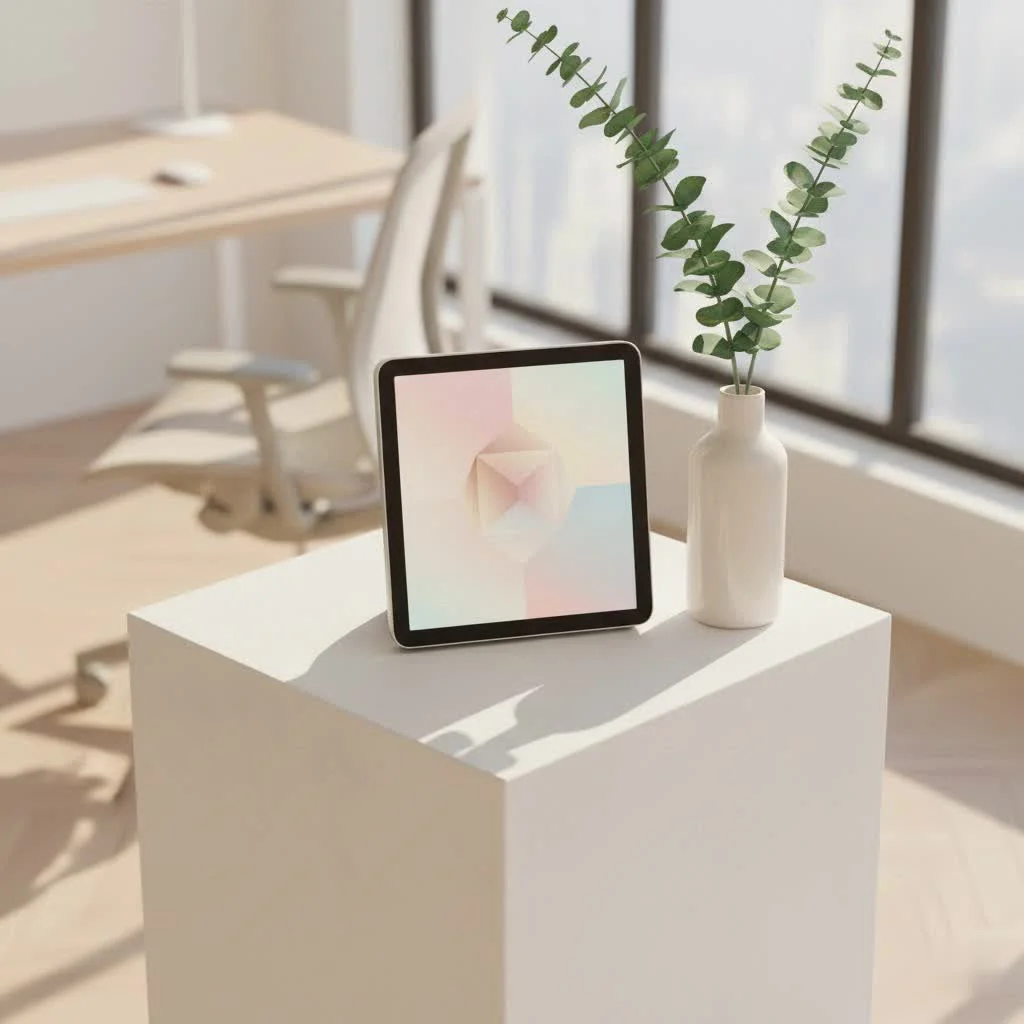
Why High Resolution Matters: Seeing Every Detail Come Alive
When it comes to digital displays, resolution is king. It dictates the sharpness, clarity, and overall visual fidelity of your images. For a high resolution digital picture frame, this means the difference between a grainy, pixelated snapshot and a vibrant, lifelike portrayal of your memories.
Think of resolution as the number of tiny dots, or pixels, packed into the screen. The more pixels, the finer the detail. Common resolutions you’ll encounter include:
- HD (High Definition): Typically 1280×720 or 1280×800 pixels. While an improvement over standard definition, for larger frames (above 8 inches), you might start to notice individual pixels, especially up close.
- Full HD (FHD or 1080p): At 1920×1080 pixels, this is often the sweet spot for many digital frames, offering a significant leap in clarity. Photos appear crisp and vibrant on screens up to about 12 inches.
- 2K Resolution: This term can vary, but often refers to resolutions like 1600×1200 or 2048×1080 pixels. These frames pack even more detail, providing an exceptionally sharp viewing experience.
- 4K Ultra HD (UHD): Boasting a massive 3840×2160 pixels, 4K offers four times the detail of Full HD. This is the pinnacle for those seeking breathtaking sharpness, particularly for larger frames (15 inches and above) and high-megapixel photos.
The relationship between resolution and screen size is crucial, often discussed in terms of Pixels Per Inch (PPI). A higher PPI means pixels are denser and images appear sharper. A 1080p image on a 7-inch frame will look incredibly sharp, but that same resolution stretched across a 15-inch screen will result in a lower PPI and a less detailed image. Therefore, the larger the screen, the higher the resolution you should target for optimal clarity. To ensure your photos look their absolute best, a helpful tip is to resize your images to match your frame’s native resolution, preventing distortion and maximizing sharpness.
Decoding Digital Frame Displays: Beyond Just Pixels
Beyond the sheer number of pixels, the underlying display technology significantly impacts your viewing experience with a high resolution digital picture frame.
LCD vs. LED: Understanding the Core Technology
|
Our Picks for the Best Digital Frame in 2026
As an Amazon Associate I earn from qualifying purchases.
|
||
| Num | Product | Action |
|---|---|---|
| 1 | Cordless Digital Photo Frame, 13.3 Inch ePaper Display, Tap-to-Print Technology, Wall Art Frame for Any Place and Everyone |

|
| 2 | Skylight Frame – WiFi Digital Picture Frame Customer Support, Touch Screen Digital Photo Frame with Easy Setup, Photo Gifts for Parents and Grandparents - 10 Inch Black |
|
| 3 | Digital Picture Frame - 10.1\" HD Display AI Magic Frame, Touch Screen Digital Photo Frame with Easy Setup, Unlimited Cloud Storage, Gifts for Parents and Grandparents |
|
| 4 | BIGASUO Digital Picture Frame, 10.1\" Frameo Digital Frame WiFi with 32GB Memory, 1280x800 IPS Touch Screen, Send Photos/Videos from Your Phone Anywhere, Photo Gifts for Parents and Grandparents |
|
| 5 | Dragon Touch 10.1\'\' WIFI Digital Picture Frame - 1280*800 HD IPS Touch Screen Digital Photo Frame Display, Auto-Rotate, Share Photos/Videos Instantly via Free App Best Gifts for Birthday, Wedding, Mom |
|
| 6 | Digital Picture Frame, 10.1\'\' Frameo Digital Frame Wifi, 32GB Memory, 1280*800 HD Touch Screen Digital Photo Frame, Wall Mountable, Auto-Rotate, Share Instantly, Wedding, Birthday Gifts for Women, Mom |
|
| 7 | Digital Picture Frame, 15.6 Inch Large Frameo Digital Photo Frame WiFi, 32GB, 1920 * 1080 IPS HD Touch Screen, Tabletop&Wall-Mounted, Share Picture Video, Birthday, Wedding, for Mom |
|
| 8 | Frameo 10.1 Inch WiFi Digital Picture Frame with 32GB Storage,1280 * 800P IPS HD Touch Screen,Send Photos/Videos from Your Phone Anywhere, Photo Gifts for Parents and Grandparents |
|
| 9 | Dragon Touch 10.1\'\' WIFI Digital Picture Frame - 1280*800 HD IPS Touch Screen Digital Photo Frame Display, Auto-Rotate, Share Photos/Videos Instantly via Free App Best Gifts for Birthday, Wedding, Mom |
|
| 10 | 32GB FRAMEO 10.1 Inch Smart WiFi Digital Photo Frame 1280x800 IPS LCD Touch Screen, Auto-Rotate Portrait and Landscape, Built in 32GB Memory, Share Moments Instantly via Frameo App from Anywhere |
|
At their core, most digital frames utilize either LCD (Liquid Crystal Display) or LED (Light-Emitting Diode) technology.
- LCD screens use liquid crystals to modulate light, which is then backlit by cold cathode fluorescent lamps (CCFLs).
- LED displays are essentially a type of LCD where LEDs are used for backlighting. This allows for thinner panels, better contrast, and often greater energy efficiency. For the best visual quality, modern digital frames typically leverage LED backlighting with advanced LCD panels.
IPS vs. TFT Panels: Why Viewing Angles and Color Accuracy are Crucial
Not all LCD panels are created equal. The two most common types found in digital frames are:
- TFT LCD (Thin-Film-Transistor Liquid Crystal Display): While TFT panels can produce good color and contrast, they often suffer from limited viewing angles. This means colors and brightness can shift noticeably if you’re not looking at the screen head-on.
- IPS LCD (In-Plane Switching Liquid Crystal Display): If you’re looking for an upgrade, IPS is the clear winner. IPS panels align liquid crystals in a way that allows for significantly wider viewing angles and superior color reproduction. This is particularly important for a digital picture frame, as it will likely be viewed from various spots in a room, ensuring everyone sees your photos with accurate, vibrant colors no matter their position.
Aspect Ratios: 4:3 for Photos, 16:9 for Widescreen – Choosing the Right Fit
The aspect ratio refers to the relationship between the width and height of the display.
- Standard (4:3): This ratio closely matches the dimensions of most standard photo prints and still photos captured by many digital cameras, especially DSLRs (which often shoot in 3:2, very close to 4:3). A 4:3 frame will display these photos without awkward black bars on the sides.
- Widescreen (16:9): This ratio is common for TVs, monitors, and videos. While great for video playback, displaying 4:3 photos on a 16:9 frame might result in “pillars” (black bars) on either side if you want the full image to be shown without cropping.
Choosing the right aspect ratio ensures your images fill the screen naturally, avoiding distortion or unwanted borders.
Contrast Ratio: The Depth of Your Blacks and Brightness of Your Whites
The contrast ratio defines the difference between the brightest white and the darkest black a screen can produce. A higher contrast ratio translates to richer, more dynamic images with greater depth. For most digital picture frame screen sizes, a contrast ratio of around 300:1 to 400:1 will deliver excellent image quality.
Choosing Your Perfect High Resolution Digital Picture Frame
Selecting the ideal high resolution digital picture frame isn’t just about pixels; it’s about integrating technology seamlessly into your life and home.
Screen Size & Placement: From Desk-Friendly to Wall-Mounted Masterpieces
Digital frames come in a wide range of sizes, from compact 7-inch models perfect for a desk or shelf to expansive 19-inch (or even larger, like TV/frame hybrids) displays designed for wall mounting. Consider where the frame will live. A larger screen provides a more immersive experience, making details pop, but ensure it fits harmoniously within your existing décor.
Connectivity Options: Wi-Fi, Bluetooth, USB, SD Card – How You Get Your Photos On
Modern high resolution digital picture frames offer various ways to upload your precious memories:
- Wi-Fi Integration: This is perhaps the most convenient. Wi-Fi enabled frames often pair with dedicated smartphone apps (like those from Aura, Nixplay, or Skylight) or allow you to email photos directly to the frame. This enables remote uploading, making it easy for family and friends to share photos with your frame from anywhere in the world. Many also sync with cloud services like Google Photos or iCloud.
- Bluetooth: Less common for bulk photo transfer, but useful for quick, smaller uploads from nearby devices.
- USB Drives & SD Cards: Many frames still support these traditional methods, offering a straightforward, non-Wi-Fi dependent way to load photos. This is ideal for those who prefer physical media or have limited internet access.
Storage Solutions: Internal Memory, Cloud Storage, and Subscription Models
Storage is key for a high resolution digital picture frame, especially with large, detailed photos.
- Internal Memory: Most frames come with built-in storage, typically ranging from 4GB to 32GB. For extensive collections, look for models with expandable memory options via USB or SD card slots.
- Cloud Storage: Many Wi-Fi enabled frames offer cloud storage, allowing you to store thousands of photos online. Some brands like Aura and Nixplay offer free, unlimited cloud storage with the frame purchase. Others, like Skylight, may offer basic features for free but require a subscription plan (e.g., Skylight Plus) for advanced features like app access, video playback, and extended cloud storage. Always check the fine print!
Smart Features & Apps: Remote Control, Motion Sensors, Social Media Integration, Video Playback
Advanced features enhance the user experience:
- Dedicated Apps: Smartphone apps provide intuitive control over your frame, allowing you to manage photo albums, adjust settings, and upload images from your phone.
- Remote Control/Touchscreen: Many frames include a remote for easy navigation, while touchscreens offer a direct and interactive experience.
- Motion Sensors: An eco-friendly feature that turns the frame on when motion is detected and off when the room is empty, saving energy.
- Auto Timer: Schedule when your frame turns on and off.
- Video Playback & Sound: Some high resolution digital picture frames can display short video clips with accompanying audio, adding a dynamic element to your slideshows.
- Clock and Calendar Functions: Integrate practical features for added utility.
Design & Aesthetics: Matching Your Frame to Your Home Décor
Digital frames aren’t just tech gadgets; they’re pieces of décor. Choose a style – classic wooden, sleek modern, or minimalist – that complements your home. Consider mounting options (stand for tabletop, wall-mount kit for display) to find the perfect spot. Brands like Aura are known for their elegant designs that mimic traditional frames.
Budget Considerations: Finding the Sweet Spot Between Features and Cost
High resolution digital picture frames vary widely in price based on size, resolution, and features. Set a budget based on your priorities. While more affordable frames exist, investing in a quality high-resolution model with an IPS screen and robust connectivity often provides better long-term satisfaction and functionality.
Setting Up Your High Resolution Digital Picture Frame for Optimal Display
Getting your new high resolution digital picture frame up and running is typically straightforward, but a few tips can ensure your photos look their absolute best.
Initial Power-Up & Wi-Fi Connection
- Unbox and Power On: Connect your frame to power.
- Follow On-Screen Prompts: Most modern frames will guide you through the initial setup, including language selection and connecting to your home Wi-Fi network. Ensure your Wi-Fi connection is stable for seamless cloud access and photo uploads.
- Install the App (if applicable): If your frame uses a smartphone app, download it from your device’s app store and follow the instructions to pair it with your frame.
Uploading Photos: Via App, Email, or Physical Media
- Via App: The most common method for Wi-Fi frames. Select photos directly from your phone’s gallery and send them to your frame.
- Via Email: Many frames provide a unique email address. Simply attach photos to an email and send them to the frame.
- Via USB/SD Card: Insert your USB drive or SD card into the designated slot on your frame. Navigate the frame’s menu to access and import your photos.
Optimizing Photo Display: Resizing, Slideshow Settings, Orientation
- Resize Your Images: “As a veteran in the digital frame industry, I always advise clients to resize their photos to match the frame’s native resolution for the sharpest, most vibrant display. It makes a world of difference! Displaying an image with higher resolution than the frame can handle offers no benefit and might even slow performance.” – Julian Thorne, WWMPA Digital Frame Specialist. Use a simple image editing tool on your computer to match your photo dimensions to your frame’s pixel count.
- Slideshow Settings: Customize transition speed, display order (sequential, random), and transition effects to create a dynamic presentation.
- Auto-Orientation: Many frames automatically adjust the photo’s orientation (portrait or landscape) to fit the frame, but confirm this in settings if needed.
Common Troubleshooting Tips for High Resolution Digital Frames
Even with advanced technology, minor hiccups can occur. Here are quick solutions for common issues:
- “My photos look blurry!”
- Direct Answer: This often indicates a mismatch between the photo’s resolution and the frame’s native resolution, or the original photo itself is low quality. Try resizing your images to perfectly match the frame’s display resolution.
- “My frame won’t connect to Wi-Fi!”
- Direct Answer: Check your Wi-Fi password, ensure the frame is within range of your router, and restart both your router and the frame. Sometimes, a simple reboot resolves connectivity issues.
- “Why aren’t my photos uploading?”
- Direct Answer: Verify internal or cloud storage capacity, check the photo file format (most frames support JPEG, PNG, GIF), and ensure your app or email service is properly synced with the frame.
- “The colors look off!”
- Direct Answer: This could be due to a non-IPS panel, or simply the frame’s brightness and color settings needing adjustment. If your frame has calibration options, fine-tune them. Also, consider ambient room lighting.
Maximizing Your Frame’s Potential: Apps and Software
The true power of a modern high resolution digital picture frame often lies in its accompanying software and integration capabilities.
Dedicated Frame Apps
Brands like Aura, Nixplay, and Skylight offer robust smartphone apps that serve as the central hub for managing your frame. These apps allow you to:
- Upload photos and videos instantly.
- Invite family members to share their photos directly.
- Create and manage albums or playlists.
- Adjust frame settings remotely.
- Monitor storage and activity.
Cloud Photo Services Integration
Many Wi-Fi enabled frames integrate seamlessly with popular cloud photo services. This means your frame can automatically pull in new photos from your linked Google Photos, iCloud, or even social media accounts, keeping your display fresh without manual effort. This seamless integration ensures your high resolution digital picture frame is always showcasing your latest adventures.
Video Playback: Bringing Motion to Your Memories
Beyond static images, many high resolution digital frames now support video playback, allowing you to relive short video clips with sound. This adds another dimension to your digital display, turning fleeting moments into captivating visual stories. It’s perfect for those quick family videos or memorable vacation snippets.
Frequently Asked Questions
What is considered “high resolution” for a digital picture frame?
For optimal clarity, a digital picture frame is generally considered “high resolution” if it offers at least Full HD (1920×1080 pixels). For larger frames (15 inches and up), 2K or 4K (3840×2160 pixels) is highly recommended to display images with stunning detail and sharpness.
Do I need a 4K digital picture frame?
You don’t always need a 4K digital picture frame. For frames 10 inches and under, Full HD is typically more than sufficient. However, for larger frames (15 inches and above), a 4K resolution is strongly recommended to maintain crispness and leverage the detail of high-megapixel photos.
Can I upload videos to my high-resolution digital frame?
Yes, many modern high resolution digital picture frames support video playback. These frames often come with built-in speakers to accompany your video clips, adding dynamic elements to your photo slideshows.
Are there digital frames that don’t require Wi-Fi?
Yes, traditional digital frames often operate without Wi-Fi, relying on USB drives or SD memory cards for photo uploads. While these models lack remote management and cloud features, they offer a simple, plug-and-play experience.
How much storage do I need for a high-resolution frame?
Storage needs vary, but a high-resolution frame benefits from more space. Internal storage typically ranges from 4GB to 32GB. For extensive collections or video content, look for frames with cloud storage (which can be unlimited from some brands) or expandable memory via USB/SD card.
What’s the best aspect ratio for displaying photos?
For displaying still photos, a 4:3 aspect ratio is generally preferred as it closely matches the native aspect ratio of most digital cameras and traditional prints, ensuring your images fill the screen without unwanted black bars. A 16:9 ratio is better suited for video content.
Are high-resolution digital frames worth the investment?
Absolutely! High resolution digital picture frames are a worthwhile investment for anyone looking to beautifully showcase their digital photos with clarity, vibrancy, and modern convenience. They transform how you interact with your memories, offering a dynamic and ever-changing display that a static print cannot match.
Bringing Your Memories to Life with Unmatched Clarity
In a world filled with fleeting digital moments, a high resolution digital picture frame offers a dedicated space to celebrate and relive your most precious memories. From understanding the nuanced differences in display technology to selecting the perfect size and features, we’ve covered the essentials to guide your choice. By prioritizing resolution, screen quality like IPS panels, and seamless connectivity, you empower yourself to display your photos with unmatched clarity and vibrancy.
At WWMPA.com, we believe your memories deserve the best. A high resolution digital picture frame isn’t just a gadget; it’s a window to your past, a celebration of your present, and a dynamic canvas for your future. Take the leap, choose wisely, and start enjoying your photos in ways you never thought possible. Share your experience with us – how has a high resolution digital picture frame transformed your home? We’d love to hear your stories!
Set Up Your High Resolution Digital Picture Frame
Follow these steps to set up your new high resolution digital picture frame and optimize it for displaying your cherished photos with the best possible clarity and vibrancy.
Unbox your frame and connect it to power. Follow the on-screen prompts to select your language and connect to your home Wi-Fi network, ensuring a stable connection for seamless cloud access and photo uploads. If your frame uses a smartphone app, download it and pair it with your device.
Upload photos using the most convenient method for your frame. For Wi-Fi frames, use the dedicated smartphone app or email photos to the frame's unique address. Alternatively, insert a USB drive or SD card into the designated slot and import photos via the frame's menu.
Resize your images to match the frame's native resolution for the sharpest display, as recommended by Julian Thorne, WWMPA Digital Frame Specialist. Customize slideshow settings such as transition speed, display order (sequential or random), and transition effects. Confirm auto-orientation is enabled to correctly display portrait and landscape photos.
Get our weekly buyer guide
Practical specs, not advice. Unsubscribe anytime.

I’m really happy with my new frame, especially the IPS panel. The viewing angles are fantastic, which is great because we have it in a high-traffic area and everyone can see the pictures clearly from anywhere. My only minor complaint is that the initial setup was a little more complicated than I expected, but once it was going, it’s been perfect.
The 4K resolution on this frame is truly impressive, and my family photos look amazing. However, I was a bit disappointed with the frame’s internal storage capacity. I have a lot of pictures, and I found myself needing to use an external SD card much sooner than I anticipated. It’s a good frame, but just be aware if you have a huge photo library.
I finally upgraded to a high resolution digital picture frame after years of just keeping photos on my phone. The difference is incredible! My old frame made everything look a bit blurry, but with the new one, every detail in my travel photos just pops. It’s like having a mini art gallery in my living room.
This digital frame has completely transformed how we display our cherished memories. The clarity and detail are just stunning, making our wedding and vacation photos look so vibrant. It’s so much better than having them hidden away on a hard drive. Definitely worth the investment for bringing those moments to life.