A smart digital frame is an electronic display device that connects to Wi-Fi, allowing for remote photo uploads, app control, and cloud integration, unlike traditional frames that require manual transfers via USB or SD card. These frames transform how we celebrate and share favorite moments by integrating with smartphone apps and cloud services, making memories a dynamic part of everyday life. They offer seamless connectivity and intelligent features to keep your most treasured images effortlessly updated and beautifully displayed.
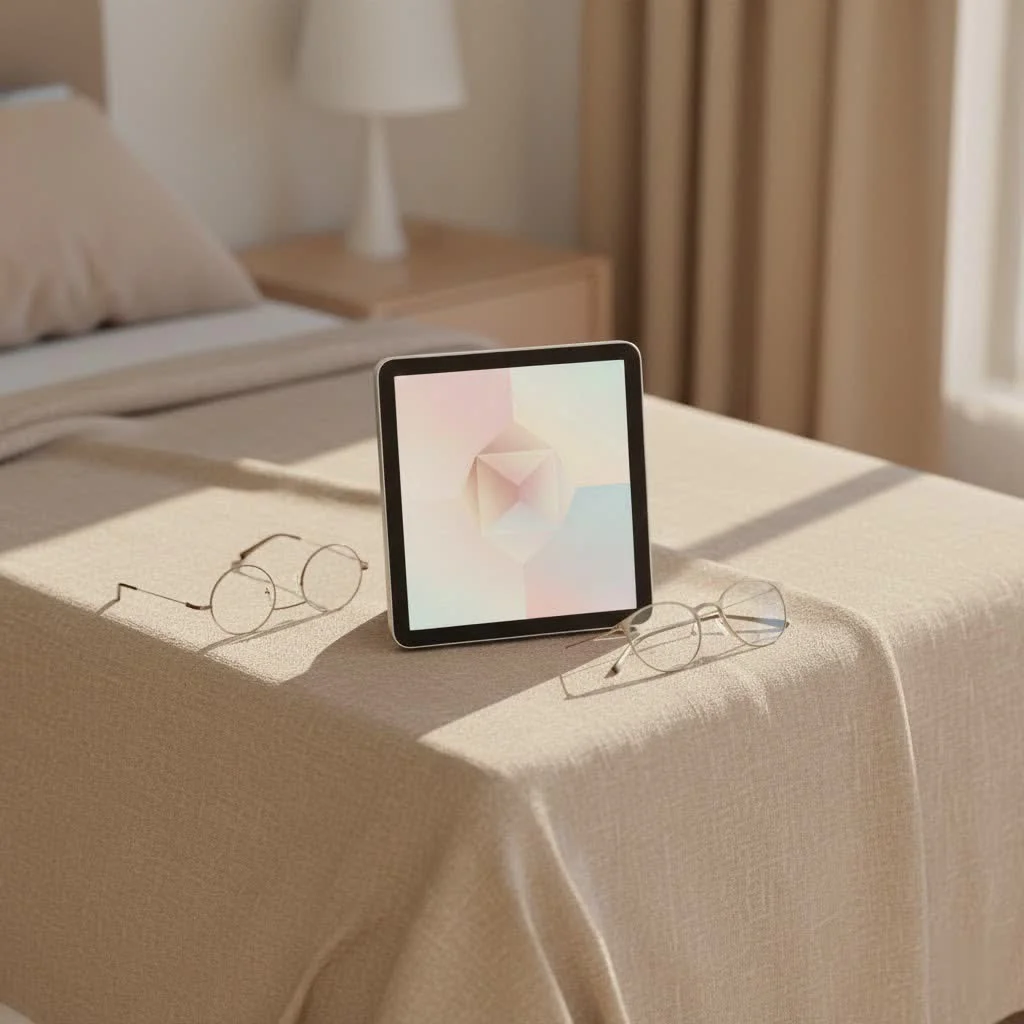
What Exactly is a Smart Digital Frame?
At its core, a smart digital frame is an electronic display device designed to showcase digital photos and often videos. But what makes it “smart”? The key differentiator is its ability to connect to your home Wi-Fi network. This isn’t your grandma’s old digital frame that required a USB stick or SD card. Instead, smart frames integrate with dedicated smartphone apps, cloud services, and sometimes even smart home ecosystems. This connectivity allows for remote photo uploading, automatic updates, and a host of interactive features that elevate them far beyond their predecessors. Think of it as a dynamic, ever-changing canvas for your life’s highlights.
Why Go Smart? The Unbeatable Benefits of a Smart Digital Frame
Embracing a smart digital frame isn’t just about upgrading a gadget; it’s about enriching your living space and deepening connections. The benefits are truly a major upgrade for memory keeping.
Effortless Photo Sharing & Remote Updates
One of the most compelling reasons to choose a smart digital frame is its unparalleled ease of sharing. With Wi-Fi connectivity, you can instantly send new photos and even short videos from your smartphone directly to the frame, no matter where you are in the world. This is a huge win for families separated by distance. Imagine grandparents receiving a new snapshot of their grandchild moments after it’s taken, keeping them intimately connected to daily life. You can also grant access to family and friends, allowing multiple users to contribute to the shared memories, creating a truly collaborative photo album.
Dynamic Display & Customization
Unlike a static printed photo, a smart digital frame offers a dynamic viewing experience. You can cycle through hundreds, even thousands, of images in a slideshow, bringing a constant flow of joyful memories to your space. Most frames offer extensive customization options, letting you adjust slideshow speeds, choose transition effects, and even schedule when the frame turns on and off. Some models can automatically adjust brightness based on ambient light, ensuring your photos always look their best.
Enhanced Storage & Cloud Integration
|
Our Picks for the Best Digital Frame in 2026
As an Amazon Associate I earn from qualifying purchases.
|
||
| Num | Product | Action |
|---|---|---|
| 1 | 32GB FRAMEO 10.1 Inch Smart WiFi Digital Photo Frame 1280x800 IPS LCD Touch Screen, Auto-Rotate Portrait and Landscape, Built in 32GB Memory, Share Moments Instantly via Frameo App from Anywhere |

|
| 2 | Frameo 10.1 Inch WiFi Digital Picture Frame with 32GB Storage,1280 * 800P IPS HD Touch Screen,Send Photos/Videos from Your Phone Anywhere, Photo Gifts for Parents and Grandparents |
|
| 3 | Dragon Touch 10.1\'\' WIFI Digital Picture Frame - 1280*800 HD IPS Touch Screen Digital Photo Frame Display, Auto-Rotate, Share Photos/Videos Instantly via Free App Best Gifts for Birthday, Wedding, Mom |
|
| 4 | Cordless Digital Photo Frame, 13.3 Inch ePaper Display, Tap-to-Print Technology, Wall Art Frame for Any Place and Everyone |
|
| 5 | Dragon Touch 10.1\'\' WIFI Digital Picture Frame - 1280*800 HD IPS Touch Screen Digital Photo Frame Display, Auto-Rotate, Share Photos/Videos Instantly via Free App Best Gifts for Birthday, Wedding, Mom |
|
| 6 | BIGASUO Digital Picture Frame, 10.1\" Frameo Digital Frame WiFi with 32GB Memory, 1280x800 IPS Touch Screen, Send Photos/Videos from Your Phone Anywhere, Photo Gifts for Parents and Grandparents |
|
| 7 | Digital Picture Frame - 10.1\" HD Display AI Magic Frame, Touch Screen Digital Photo Frame with Easy Setup, Unlimited Cloud Storage, Gifts for Parents and Grandparents |
|
| 8 | Digital Picture Frame, 10.1\'\' Frameo Digital Frame Wifi, 32GB Memory, 1280*800 HD Touch Screen Digital Photo Frame, Wall Mountable, Auto-Rotate, Share Instantly, Wedding, Birthday Gifts for Women, Mom |
|
| 9 | Skylight Frame – WiFi Digital Picture Frame Customer Support, Touch Screen Digital Photo Frame with Easy Setup, Photo Gifts for Parents and Grandparents - 10 Inch Black |
|
| 10 | Digital Picture Frame, 15.6 Inch Large Frameo Digital Photo Frame WiFi, 32GB, 1920 * 1080 IPS HD Touch Screen, Tabletop&Wall-Mounted, Share Picture Video, Birthday, Wedding, for Mom |
|
Forget worrying about limited memory cards. Many smart digital frames come with ample internal storage, often ranging from 4GB to 32GB, capable of holding thousands of high-resolution images. Many also offer integration with cloud storage services, sometimes even unlimited, providing a secure backup for your entire photo collection and seamless access from anywhere. This means your cherished photos are safe and readily available, always.
Smart Home Connectivity & Added Features
Many advanced smart digital frame models go beyond just displaying photos. They can integrate with your smart home setup, becoming a central hub for information. Common smart features include motion sensors that turn the frame on when someone enters the room and off when no one is around, saving energy. Some frames also display the current time, date, and weather forecasts, or even stream web radio, making them a versatile addition to any room.
Eco-Friendly & Space-Saving
A single smart digital frame can display an endless rotation of photos, eliminating the need to print physical copies and reducing paper waste. This makes it an eco-conscious choice for displaying memories. One frame can replace dozens of traditional frames, decluttering shelves and walls while still showcasing a vast collection of images.
Choosing Your Perfect Smart Digital Frame: A Buyer’s Checklist
Selecting the right smart digital frame can feel daunting with so many options available. Here’s a practical checklist to guide your decision-making process:
Display Matters: Screen Size, Resolution, Aspect Ratio, Finish
The quality of the display is paramount.
- Screen Size: Consider where the frame will live. For a desk or bedside table, a 7-inch to 10-inch screen might be perfect. For a living room or a more prominent display, 12-inch to 15-inch frames offer a more immersive experience. Going much larger can sometimes lead to bulkiness and reduced value.
- Resolution: Look for high-definition (HD) displays. A minimum of 1024×768 pixels is recommended for clear images, but higher resolutions like 1600×1200 will deliver sharper, more vibrant photos that truly pop.
- Aspect Ratio: A 4:3 or 16:10 aspect ratio is generally preferred as it closely matches the proportions of photos taken by most smartphones and cameras, minimizing cropping or distortion.
- Finish: A matte screen finish is a hidden gem, significantly reducing glare and reflections, making your photos look more like traditional prints.
Connectivity & Storage: Wi-Fi, Internal Memory, Cloud Options, SD/USB
These features define the “smart” in smart digital frame.
- Wi-Fi: Absolutely essential for remote uploads and app connectivity. Ensure it supports your home’s Wi-Fi standards (most will support 2.4GHz, some newer models also support 5GHz).
- Internal Memory: While cloud storage is great, having a decent amount of internal memory (e.g., 8GB or 16GB) ensures photos display quickly even if your internet connection is temporarily spotty.
- Cloud Options: Many brands offer their own cloud storage; some provide unlimited storage, which is a fantastic long-term benefit for managing your growing photo collection.
- SD/USB Slots: While not strictly necessary for smart frames, these can be useful for initial bulk uploads or for friends/family who prefer physical media.
Intuitive Software & App Experience
A smart digital frame is only as good as its software. Look for a frame with an intuitive touchscreen interface or a user-friendly companion app. The app should make it easy to upload photos, manage albums, invite friends, adjust settings remotely, and troubleshoot issues. Brands like Aura and those utilizing Frameo software often receive high marks for their user experience.
Smart Integrations & Extra Bells and Whistles
Consider what additional functionalities would enhance your experience. Do you want motion sensors for auto on/off? Would a built-in clock, calendar, or weather display be useful? Some frames can even display art collections, effectively turning your photo frame into a dynamic piece of home décor.
Design & Aesthetics: Blending with Your Decor
Finally, don’t overlook the design. Smart digital frames come in various styles, from sleek minimalist designs to frames with wood-effect finishes. Choose a style and color that complements your home decor, whether it’s a modern living room or a cozy bedroom. Ensure it has versatile stand and mounting options (tabletop stand, wall-mountable).
Setting Up Your Smart Digital Frame: A Breeze (Usually!)
One of the best aspects of modern smart digital frames is their user-friendly setup. Here’s a general step-by-step guide:
- Power On: Plug in your frame using the provided power adapter. Most will power on automatically or with a simple press of the power button.
- Connect to Wi-Fi: Follow the on-screen prompts to connect your frame to your home Wi-Fi network. This is usually straightforward, much like connecting a smartphone or tablet.
- Download the App: On your smartphone or tablet, download the dedicated companion app for your frame (e.g., “Frameo” or the brand’s specific app).
- Link Your Frame: The frame will typically display a unique code. Enter this code into the app on your smartphone to link your device to the frame.
- Start Uploading: Once linked, you can immediately begin uploading photos and videos from your phone’s gallery to your smart digital frame. You can also invite family and friends to download the app and use the frame’s code to share their own memories.
“Smart digital frames have revolutionized how we connect with our memories and loved ones,” says Dr. Evelyn Reed, tech ethicist and co-founder of Digital Heritage Solutions. “The ability to instantly share moments across distances, coupled with intelligent display features, makes these devices invaluable for modern families.”
Troubleshooting Common Smart Digital Frame Issues
Even the most advanced smart digital frame can sometimes encounter hiccups. Here are solutions to common problems:
“My Frame Won’t Turn On!”
- Check Power: Ensure the power adapter is securely plugged into both the frame and a working wall outlet. Try a different outlet to rule out a faulty power source.
- Soft Reset: If the screen is black but the frame might be receiving power (e.g., an indicator light is on), try a soft reset. Hold down the power button for 10-15 seconds, then release. Wait 30 seconds, then press it again to restart.
- Hard Reset (Pinhole): Some frames have a small, recessed reset button (often a pinhole). Use a paperclip to gently press and hold it for several seconds to force a reboot.
“Photos Aren’t Showing Up!”
- File Format: Ensure your photos are in a supported format (usually JPEG, PNG, or BMP).
- Storage Full: Check the frame’s internal storage or cloud storage capacity via the app or frame settings. If it’s full, delete some older photos to make space.
- App Permissions: Verify that the companion app on your smartphone has the necessary permissions to access your photos and connect to the internet.
- Too Many Photos: Avoid uploading excessively large batches of photos at once; break them into smaller groups.
“Wi-Fi Connectivity Headaches”
- Password: Double-check your Wi-Fi password for typos.
- Signal Strength: Ensure the frame is within a good range of your Wi-Fi router. Walls, large furniture, and other electronics can interfere with the signal.
- Frequency Bands: Some older smart frames only support the 2.4GHz Wi-Fi band. If your router broadcasts both 2.4GHz and 5GHz, try connecting the frame to the 2.4GHz network.
- Router & Frame Firmware: Ensure your Wi-Fi router’s firmware and the frame’s software are up to date. Updates often include connectivity fixes.
- Reset Network Settings: In the frame’s settings, “forget” the Wi-Fi network and reconnect.
“The Frame Keeps Freezing!”
- Restart: A simple power cycle (turn off, wait, turn on) can resolve temporary software glitches.
- Firmware Update: Check for and install any available firmware updates for your frame. These often address bugs and improve stability.
- Clear App Cache: If the issue stems from the companion app, clearing its cache (or reinstalling it) can help.
- Factory Reset: As a last resort, a factory reset will return the frame to its original settings, often resolving persistent issues. Be aware this will erase all stored photos and settings, so back up anything important first.
For optimal performance and longevity, to gently clean your smart digital frame screen with a microfiber cloth and avoid exposing it to extreme temperatures or humidity.
Frequently Asked Questions About Smart Digital Frames
What’s the difference between a smart digital frame and a regular one?
A smart digital frame connects to Wi-Fi, allowing for remote photo uploads, app control, and cloud integration, whereas a regular digital frame typically requires manual transfer of photos via USB or SD card.
Can multiple people send photos to one smart digital frame?
Yes, most smart digital frames allow multiple users to connect via the companion app and send photos to the same frame, making it perfect for family sharing.
Do smart digital frames require a constant internet connection?
While you need an internet connection for remote uploads and updates, many frames can display previously uploaded photos even if the Wi-Fi connection is temporarily lost. However, for full functionality and real-time sharing, a constant connection is beneficial.
How much storage do I need for a smart digital frame?
For most users, 8GB to 16GB of internal storage is sufficient for thousands of photos. If the frame offers unlimited cloud storage, the internal capacity becomes less critical.
Are smart digital frames worth the investment?
Absolutely! For anyone looking to keep their cherished memories vibrant, easily shareable, and beautifully displayed without the hassle of traditional methods, a smart digital frame offers significant value and enhances daily life.
Bringing Your Memories to Life
The smart digital frame is more than just a piece of tech; it’s a window into your most cherished moments, a constant reminder of joy, connection, and adventure. From effortlessly sharing new memories with loved ones across the globe to dynamically displaying a lifetime of photos in your living room, these devices offer unparalleled convenience and sentimental value. By understanding their features, knowing what to look for, and learning simple troubleshooting, you can confidently choose and utilize a smart digital frame to its fullest potential. So, dive in, explore the possibilities, and let your digital memories shine brightly in your home. It’s time to truly live with your memories.
Frequently Asked Questions
What is the main difference between a smart digital frame and a regular one?
A smart digital frame connects to Wi-Fi for remote photo uploads, app control, and cloud integration, while a regular digital frame typically requires manual photo transfers via USB or SD card. This connectivity allows for dynamic updates and sharing from anywhere.
Can multiple family members send photos to a single smart digital frame?
Yes, most smart digital frames are designed for collaborative sharing, allowing multiple users to connect via a companion app and send photos to the same frame. This feature is ideal for families to share memories across distances.
Is a constant internet connection necessary for a smart digital frame to function?
While an internet connection is essential for remote uploads and updates, many smart frames can display previously uploaded photos even if Wi-Fi is temporarily lost. For full functionality, including real-time sharing and cloud access, a consistent connection is beneficial.
How much internal storage capacity is typically needed for a smart digital frame?
For most users, an internal storage capacity of 8GB to 16GB is sufficient to hold thousands of high-resolution photos. If the frame offers unlimited cloud storage, the internal capacity becomes less critical as photos can be streamed.
Are smart digital frames a worthwhile investment for displaying memories?
Absolutely, smart digital frames are a worthwhile investment for anyone seeking to keep cherished memories vibrant, easily shareable, and beautifully displayed. They offer significant value by providing unparalleled convenience and sentimental benefits over traditional photo display methods.
What display features should I prioritize when buying a smart digital frame?
When buying a smart digital frame, prioritize a screen size between 7-15 inches, a minimum resolution of 1024x768 pixels (or higher like 1600x1200 for sharper images), a 4:3 or 16:10 aspect ratio, and a matte screen finish to reduce glare.
Get our weekly buyer guide
Practical specs, not advice. Unsubscribe anytime.

What a game-changer! I used to forget about all the great photos on my phone, but now they’re beautifully displayed every day. The integration with smartphone apps is flawless, making it incredibly simple to keep the frame updated with new pictures. It’s truly transformed how my family shares and enjoys our cherished memories.
I was excited about the remote photo upload feature, but I’ve had a few instances where photos didn’t sync immediately, which was a bit frustrating. It usually catches up eventually, but it’s not always instant. The display quality is good though, and it’s still better than manually transferring files. Just wish the syncing was a bit more reliable.
This frame is pretty great for displaying photos, and the app control is super convenient. I can change playlists and adjust settings right from my couch. My only minor complaint is that the initial setup was a little tricky to get connected to my cloud service, but once it was done, it’s been smooth sailing. Definitely a good buy for keeping memories alive.
I absolutely love my new smart digital frame! The Wi-Fi connectivity makes it so easy to upload new photos directly from my phone, which is a huge upgrade from my old frame that needed an SD card. It’s fantastic for keeping family memories fresh and visible without any hassle. Highly recommend for anyone wanting to effortlessly share their favorite moments.